Guide
Site analysis diagrams: twelve examples, what each one shows and when to use it.
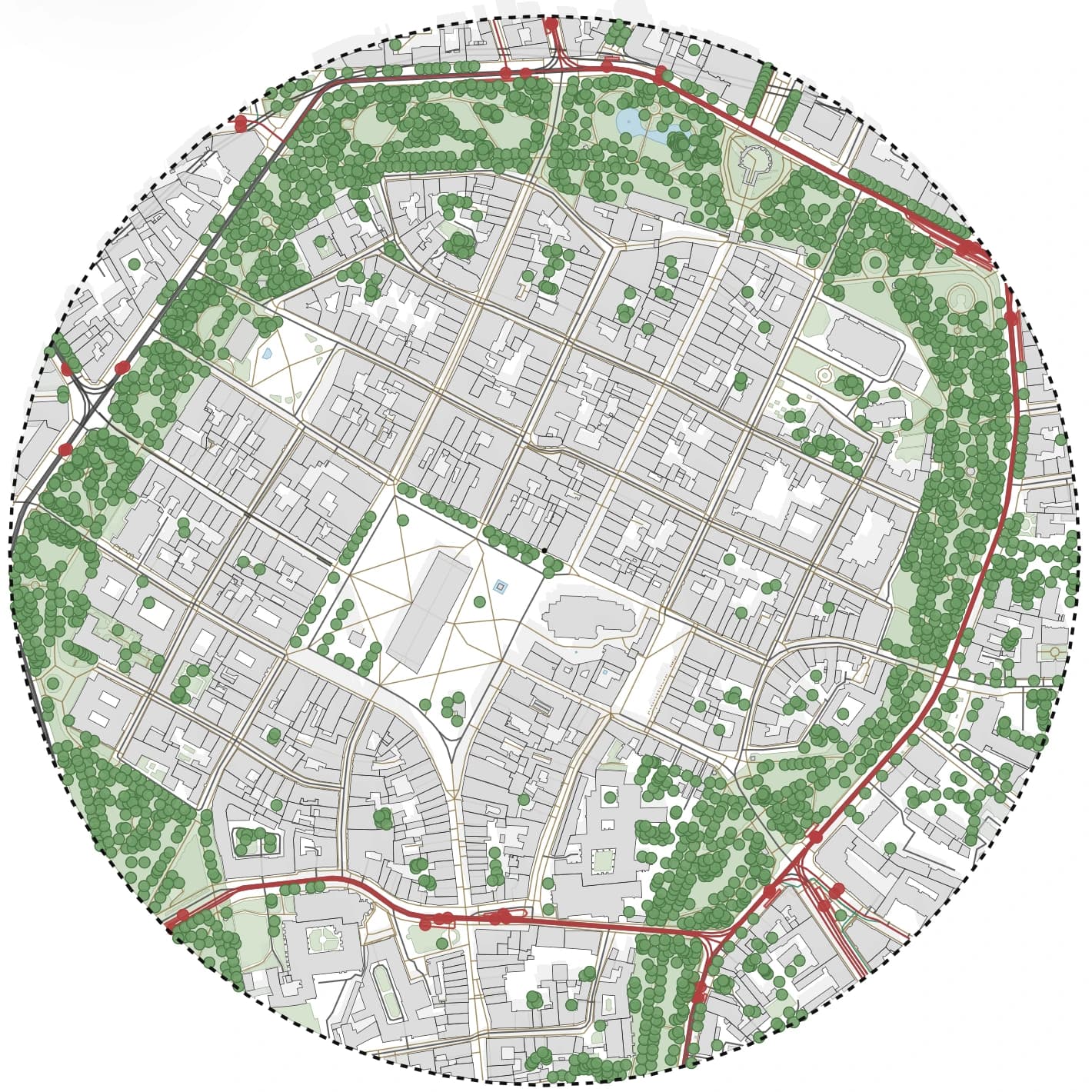
A good site analysis is a small set of diagrams, each answering one question about the place. Below are twelve diagrams of the same study area in Kraków's Old Town, all generated in Gridded, so you can compare what each type reveals and pick the ones your project needs.
- twelve diagram types drawn on one real site, so they are easy to compare
- what each diagram is for and which questions it answers
- a simple order to build a site analysis board
Examples
Twelve site analysis diagrams of one study area
Select any diagram to see it larger. All twelve come from one generated study area, switched between analysis presets and styles.
Site plan
The base drawing: buildings, streets, greenery, water and transport in quiet colours. Every board starts here.
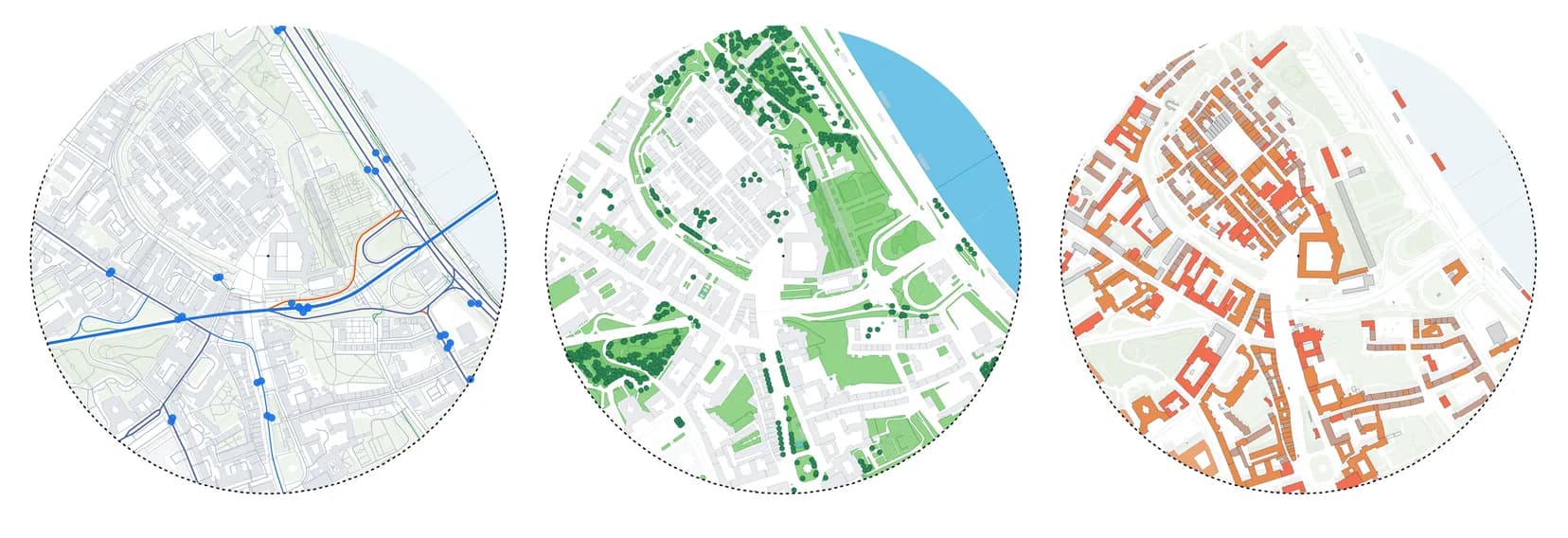
Figure-ground
Built mass against open space. It shows grain, block size and how dense the surroundings are at a glance.
Building use
Buildings coloured by function, such as housing, retail, offices and public buildings. It explains who uses the area and when.
Transport and access
Tram, bus and rail lines with stops. It shows how people reach the site and which edges are busiest.
Greenery and water
Parks, trees and water bodies. Here the Planty ring around the Old Town reads immediately as the main green structure.
Parcels and boundaries
Plot lines and administrative boundaries from the Polish cadastre. It shows ownership structure and the size of typical plots.
Building heights
Buildings shaded from low to high. It shows the skyline you design against and where a taller building would stand out.
Sun path
The sun's path for a chosen day with its current position. It sets the orientation for gardens, courtyards and main rooms.
Wind schematic
Prevailing wind direction and how it moves along streets. A schematic for early decisions, not a CFD simulation.
Terrain contours
Contours at a 2 m interval from official elevation data. On this site they trace Wawel Hill and the drop to the river.
Presentation base, graphite
The same plan in a single-colour style for a board where your proposal should be the only colour on the sheet.
Presentation base, blueprint
A bold style for covers, social posts and competition boards. Same data, different mood.
Building a board
A simple order for a site analysis board
Start wide and calm, then add one question per diagram. Keep the same scale, frame and north arrow on every map, so the reader compares content instead of decoding layouts.
- 1. site plan and location in the city
- 2. figure-ground and building heights for urban form
- 3. building use and transport for how the area works
- 4. greenery, terrain, sun and wind for the environment
- 5. one conclusion map with opportunities and constraints
Common mistakes
What makes site analysis diagrams hard to read
Most weak boards have too many layers on one map, different scales on each diagram and colours that fight the proposal. Each map should answer one question, and the strongest colour on the board should belong to your design.
- one theme per diagram, not every layer at once
- the same frame and scale across the series
- a quiet base so the analysis layer stands out
Workflow
How to make these diagrams for your own site
The twelve maps above took one generated area and a few clicks each. The same steps work for any site Gridded covers.
Generate one study area
Search for the address and draw the area as a circle, a square or your own outline. This is the only step that uses tokens.
Switch between analysis presets
Site plan, buildings, building use, transport, greenery, boundaries and heights are presets in the style list; the sun, wind and terrain studies switch on from their own panels. None of this generates the map again.
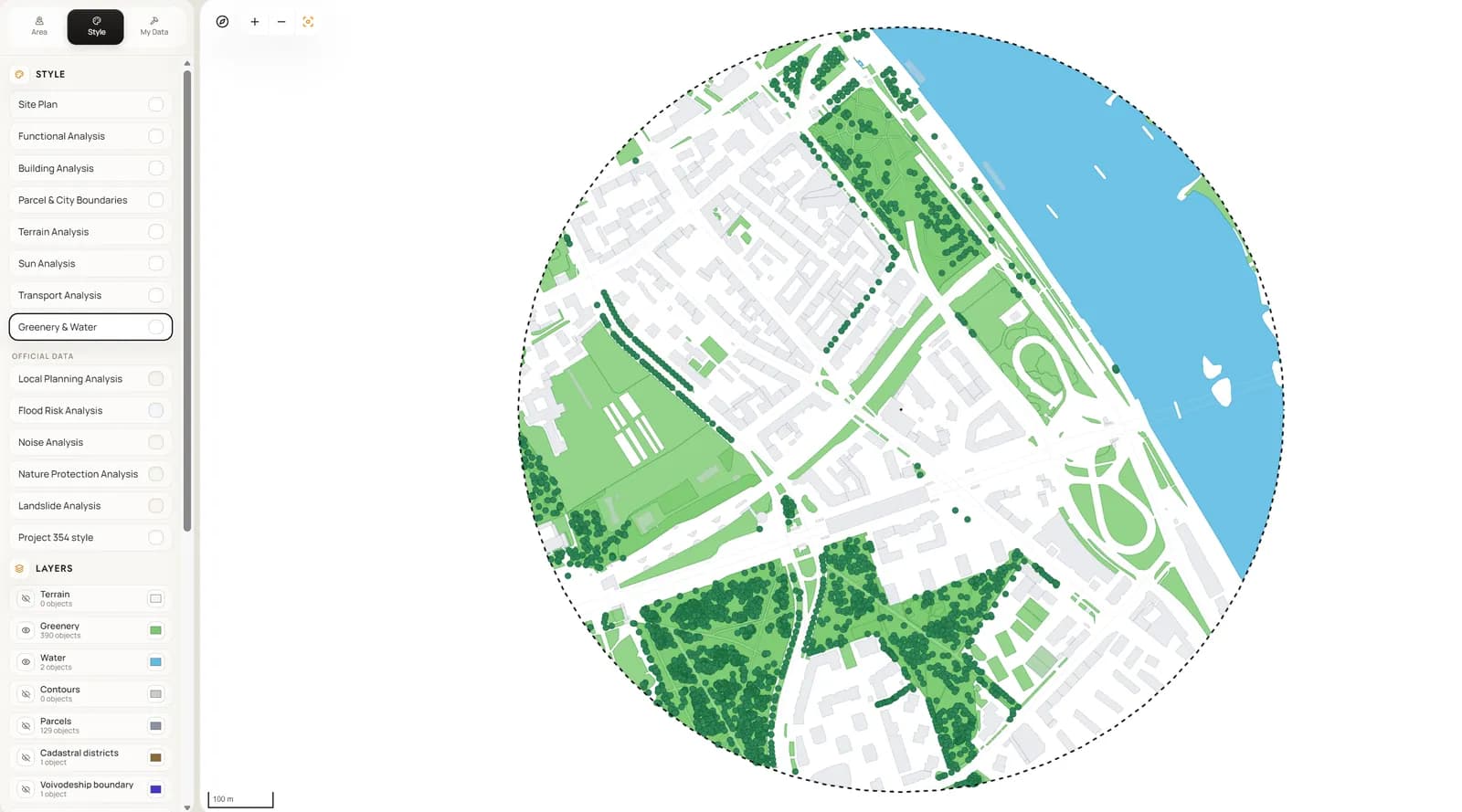
Adjust colours once and save your style
Change colours, line weights and visible layers, then save the result as your own style to reuse on the next project.
Export the whole series at the same scale
Export each diagram as a PDF at a fixed scale, a PNG for the board, or DXF and SVG to finish in CAD or Illustrator.
What you get
What one study area gives you
The point is consistency: every diagram shares one area, one frame and one data source.
- diagram-ready context map for boards and early client decks
- clean DXF or SVG base for CAD and Illustrator refinement
- one saved preset for each visual direction: context, transport, greenery, sun study
- 2D and 3D views of the same site, ready for the next design review
Frequently asked questions
Which site analysis diagrams do I really need?
For most concept boards: a site plan, a figure-ground, transport and access, greenery, and a sun path. Add heights, terrain or wind when they affect the design, and finish with one map of opportunities and constraints.
Can I edit the diagrams in AutoCAD or Illustrator?
Yes. Export DXF for AutoCAD, ArchiCAD or Revit, and SVG for Illustrator or Figma. Layers are named by theme, so you can restyle them quickly.
Which locations does Gridded cover?
Poland and the rest of Europe: 50 countries and territories, from Portugal and Ireland to Finland and Greece. Everywhere you get buildings, building use, roads, rail, public transport, water and greenery from OpenStreetMap, the 3D view and the sun study. Polish sites also use official national data: cadastral parcels, terrain, zoning plans, flood and noise maps, and building heights from the national surface model. The app tells you straight away whether a picked area is covered.
Related pages
Site analysis for architects: what to map, and how to get the maps in minutes.
A site analysis answers a short list of questions before design starts: what surrounds the plot, how people reach it, where the sun and the greenery are, what the neighbouring buildings are used for and what the rules allow. This checklist goes through each map, says where the data comes from in Europe and shows which maps Gridded makes from one generated study area.
A figure-ground map of any European site, from an address, in a few minutes.
A figure-ground plan (a Schwarzplan in German studios, a Nolli map after the 1748 plan of Rome) is usually the first drawing of a site study: buildings as solid, everything else as void. Most architects still make one by loading OpenStreetMap data into QGIS, buying a ready-made city plan or tracing an aerial photo. Gridded builds it from an address in 50 European countries, keeps it editable and lets you read the same block structure in 2D, in 3D and on a vector PDF sheet.
Shadow study for architects: test sun and shadow on a real site in minutes.
A shadow study answers simple questions that shape a concept early: which part of the plot gets morning sun, where the neighbours cast shadow in winter, and whether the garden or courtyard will be usable. You do not need a full energy model to answer them. You need the real buildings around the site, a sun position for a chosen date and time, and a clear drawing of the result.